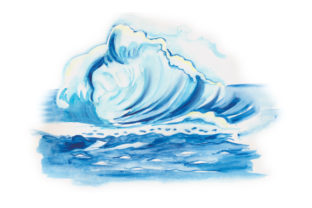
Crafting Editorial Mood with a Watercolor Ocean Design Asset
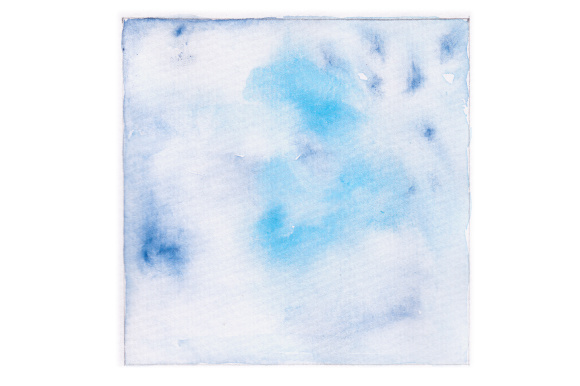
As a blog designer, my first instinct with any graphic design asset is to assess its editorial mood. Upon opening the Watercolor Ocean files, the immediate impression is one of serene, artistic calm. This isn’t a bold, geometric modern design; it’s a soft, evocative piece that leans into a decorative, lifestyle-focused, and slightly feminine aesthetic. The watercolor style inherently feels creative and handmade, which builds a sense of authenticity and artistry—a powerful tool for establishing reader trust in niches where personality and visual warmth are key.
The Editorial Niche: Where a Watercolor Ocean Graphic Thrives
This design asset naturally supports content centered on creativity, wellness, travel, coastal living, mindful crafts, and artistic education. Imagine a blog post about “Ocean-Inspired Meditation Techniques,” a printable guide on “Watercolor Techniques for Beginners,” or a digital product like a “Coastal Wellness Planner.” The Watercolor Ocean graphic becomes more than decoration; it visually telegraphs the content’s core theme and emotional tone before a reader even scans the headline. It helps with category recognition instantly, telling your audience, “This content belongs in our creative or nature-focused section.”
Real-World Publishing: From Blog Header to Pinterest Pin
In a real publishing workflow, this asset’s versatility in formats—SVG, transparent PNG, EPS, DXF—is its greatest strength. Let’s walk through a typical Monday:
- I need a featured image for a new blog post about sustainable beach travel. The transparent PNG of the Watercolor Ocean allows me to layer it seamlessly over a clean background, adding my headline text with a crisp serif font for a polished, clickable article graphic.
- For promotion, I extract a key element from the SVG file to create a Pinterest pin. The watercolor texture provides a visually rich backdrop that stands out in a feed, improving click-through potential compared to a flat-colored graphic.
- That same post will be featured in my weekly newsletter. The Watercolor Ocean graphic, scaled as a newsletter banner, creates a consistent visual identity from the blog to the subscriber’s inbox, reinforcing brand recognition.
- Finally, I’m preparing a lead magnet—a downloadable “Ocean Journey” digital guide. The EPS file, with its scalable vectors, ensures the design looks perfect as the eBook cover and as decorative accents on interior pages, elevating the perceived value of the free resource.
Beyond the Blog: Supporting Digital Products & Affiliate Content
For content creators who monetize, this asset’s applications expand. An online educator crafting a course on marine biology can use the Watercolor Ocean in Canva templates for lesson slides, adding an artistic touch to educational material. An affiliate marketer reviewing coastal getaway packages can use the design for social media graphics and digital ad visuals, where the soothing mood aligns with the promoted lifestyle. For the creative entrepreneur, it can serve as branding for a small business selling handmade crafts, appearing on media kits and website headers to communicate a cohesive, gentle brand identity.
Performance Notes: How This Asset Improves Content
Using a design like Watercolor Ocean isn’t just about beauty; it’s about performance.
- Stronger First Impression: A visitor landing on a post with this artistic featured image perceives higher editorial quality.
- Clearer Visual Hierarchy: The soft background provides contrast, allowing bold headline text to pop, guiding the reader’s eye.
- More Consistent Branding: Repeated use across blog graphics, printables, and social media builds a recognizable visual system.
- More Professional-Looking Pages: Even a simple blog page with a custom graphic feels more deliberate and trustworthy than one with stock imagery.
Practical Publisher Checks Before You Hit Publish
Before committing this asset to a live project, I run a series of tests. Preview it inside your actual blog layout on desktop and mobile. How does it look as a tiny article thumbnail on your homepage? Is the detail lost? Test it with your typical headline fonts—try it beside a sturdy sans-serif, a elegant serif, and even a playful script font to check for readability and contrast. For text-heavy blog images, ensure the watercolor backdrop isn’t too busy, making paragraphs hard to read. Always confirm the commercial license if using it on affiliate pages or paid digital products like downloadable printables.
Optimal Use Cases: Hero Images, Accents, & Resources
The Watercolor Ocean design works best in roles where mood-setting is paramount:
- Hero images and website headers for niche sites.
- Article thumbnails for category-specific content.
- Pinterest pins and social media previews where aesthetic appeal drives clicks.
- Editorial accents within digital guides or long-form articles.
- Content upgrades and downloadable resources like worksheets or planners.
- Newsletter headers for thematic campaigns.
Careful Application: When to Use a Subtler Approach
While versatile, this asset should be applied thoughtfully. In small mobile thumbnails, the intricate watercolor details may become muddy. For serious professional niches like corporate environmental reports, the artistic style might feel too decorative. On websites with a very minimal visual system, the watercolor texture could clash with a stark, clean interface. In these cases, consider using a small, isolated element from the SVG as an accent rather than a dominant background.
The Final Design Perspective
Integrating the Watercolor Ocean graphic design asset into your publishing workflow is about aligning visual communication with editorial intent. It supports content marketing by providing a ready-made visual language for nature and craft-focused niches. By ensuring it’s compressed for web performance, tested for readability, and used consistently, you transform a single digital download into a pillar of your content’s visual identity. For the blogger, publisher, or creative entrepreneur, it’s not just a graphic; it’s a tool for building a more polished, trustworthy, and clickable online presence.